
Failure inspection
The TUI path from a run-level verdict to a specific failing sample.
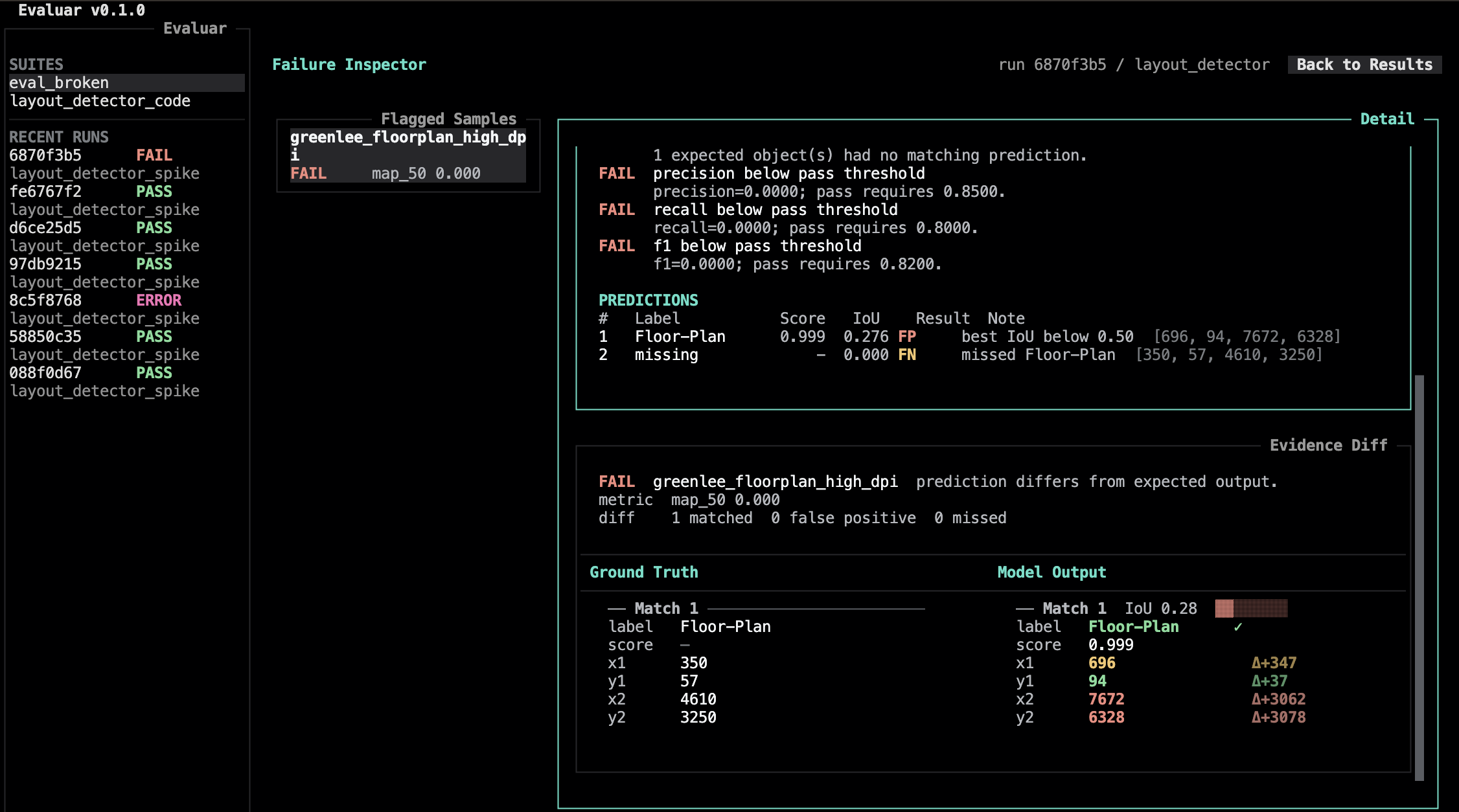
The failure inspector pairs a structured diff of expected-vs-actual with the sample list, and hands off to the bbox editor whenever you need to look at predictions on the source image.
Opening the inspector
From the results view press i. (The global binding i is also available — src/evaluar/tui/app.py:104.)
What the panes show
Verified against src/evaluar/tui/views/failure_inspector.py and src/evaluar/tui/widgets/failure_inspector.py.
- Diff pane. A structured comparison between the predicted output and the ground truth for the focused sample. The structure is task-aware: detection diffs at the box level, OCR diffs at the text level, table diffs at the cell level.
- Samples pane. The samples in the run, with each sample's verdict. Sample list iteration is plain keyboard navigation.
Bindings
From src/evaluar/tui/views/failure_inspector.py:27:
| d | Focus the diff pane |
| s | Focus the samples pane |
| o | Open the bbox editor (overlay, read-only) |
| v | Open the bbox editor (edit ground truth) |
| tab | Cycle focus forward |
| right | Cycle focus forward |
| left | Cycle focus backward |
| b | Go back |
| escape | Go back |
A typical flow
Press i to enter the inspector
Walk the samples list with the focused-pane keys; the diff pane updates as you move.
Press o to look at the prediction visually
The bbox editor opens in overlay mode (read-only) as a separate OpenCV window. Inside, + / - zoom, 0 resets, q closes. See Bbox editor.
If the ground truth is wrong, press v
The bbox editor reopens in edit mode. Mouse-driven box drawing, resizing, and labeling; Backspace deletes the selected box; Esc cancels the current action.
Comparing two runs
Run-vs-run comparison is its own view, not part of the inspector. From the shell:
evaluar report compare <run_a> <run_b>This opens the compare view (src/evaluar/tui/views/compare.py). It diffs the two runs at the rollup-scorecard level. See Reports.
Scope
The current inspector is a small surface by design: sample navigation, task-aware diffs, and hand-offs for image overlays or ground-truth edits.
For deeper automation, consume the saved JSON (evaluar/results/<run_id>.json) directly — its shape is documented in Run storage.