

Bbox editor
The OpenCV process the TUI hands off to for visualizing predictions and editing ground truth — keymap, modes, and the architectural reason it's a subprocess.
When you press o or v in the TUI, Evaluar launches a separate Python process that hosts an OpenCV window for the focused sample. That process is the bbox editor. It is not a TUI pane, it has its own keymap, and the TUI only resumes when the editor's window is closed.
Why a subprocess
The TUI is a Textual application — a terminal app rendered with Unicode. OpenCV's cv2.imshow opens a native graphics window and runs its own event loop. The two cannot share a process cleanly. So Evaluar shells out:
[sys.executable, "-m", "evaluar.utils.bbox_editor._runner", json_path](src/evaluar/tui/handoff.py:138)
The TUI passes the editor a JSON file describing the sample, predictions, and ground truth; the editor reads that file, opens its window, and writes any edits back when the user closes it.
Two launch modes
Both launch from the same hand-off system (src/evaluar/tui/handoff.py:202):
| Trigger | Mode | What it does |
|---|---|---|
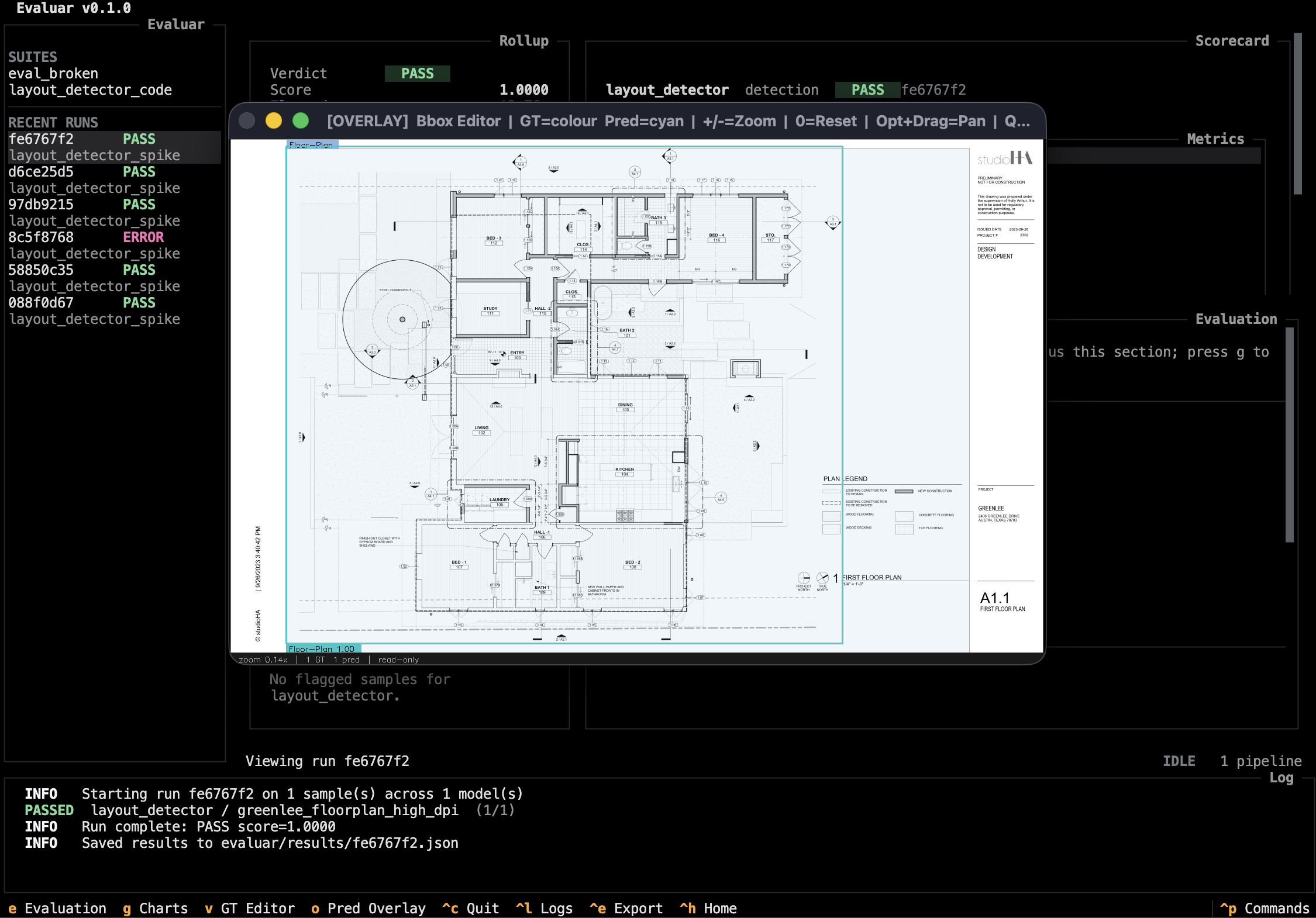
Press o in results or inspector | bbox.overlay | Opens read-only. Renders predictions on the source image. |
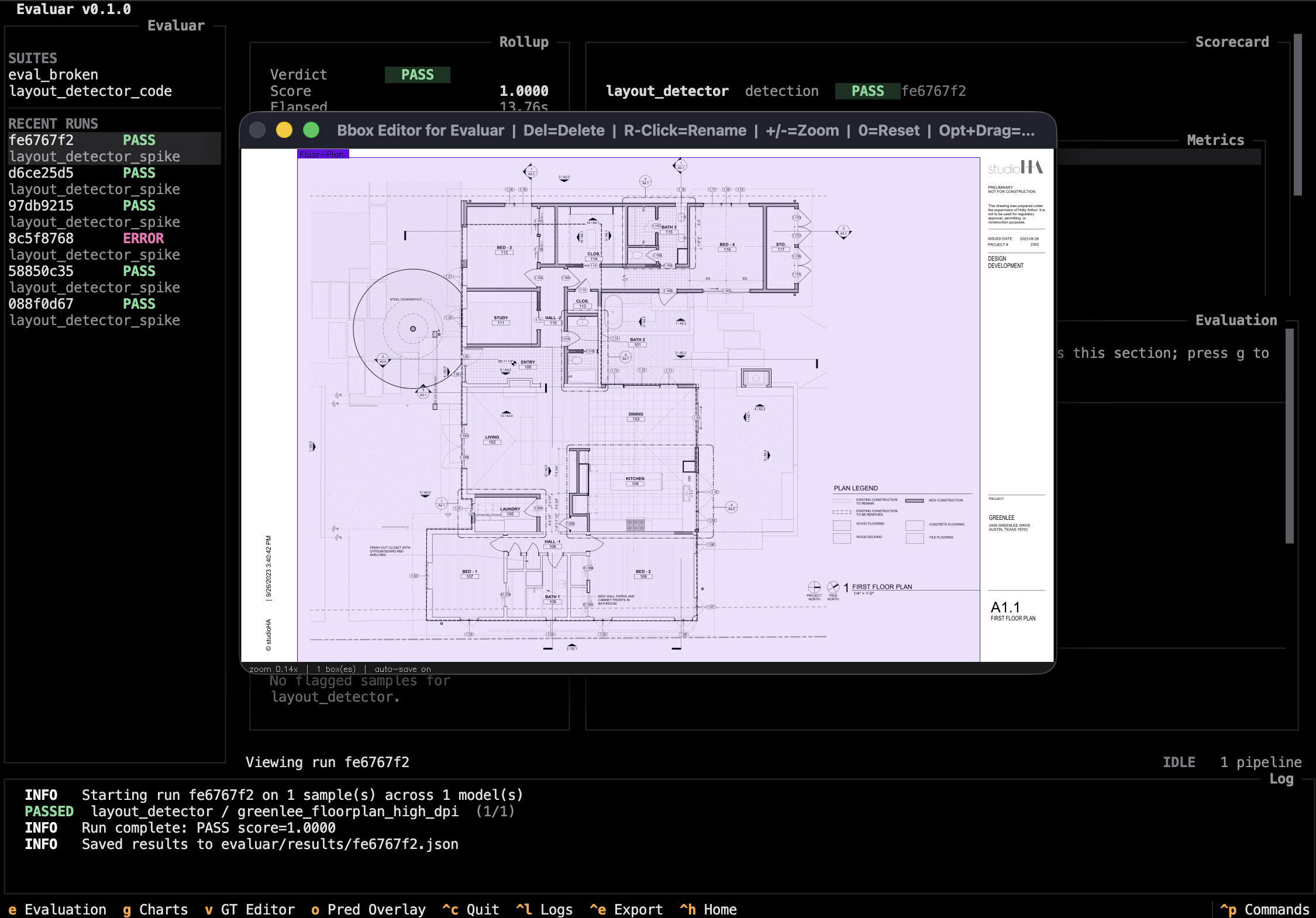
Press v in results or inspector | bbox.edit | Opens editable. Lets you redraw, resize, relabel, or delete ground-truth boxes. |
Ground-truth chips are labeled with a GT: prefix in both modes, and
prediction chips are labeled with a Pred: prefix in overlay mode. The saved
ground-truth JSON still stores the raw class label such as Door; the prefix
is display-only. GT box colors are deterministic per label, so a label keeps
the same color across editor launches.
Keyboard surface
Verified verbatim against src/evaluar/utils/bbox_editor/editor.py:495–545.
| q | Close the editor (returns to TUI) |
| + | Zoom in (×1.25, around cursor) |
| = | Zoom in (alias for +) |
| - | Zoom out (×1/1.25) |
| 0 | Reset zoom and recenter |
| Backspace | Delete the selected box (edit mode only) |
| Delete | Delete the selected box (edit mode only) |
| Esc | Cancel the current drag/resize/draw, or deselect |
The full set of keys the editor responds to is the list above. Anything else — the home, end, or arrow keys — is unbound at this layer.
Mouse interactions (edit mode)
Box manipulation in edit mode is mouse-driven:
- Click an existing box to select it (handles appear at the corners and edges).
- Drag a corner / edge handle to resize the selected box.
- Drag inside a selected box to move it.
- Click-drag on empty image to draw a new box; on release, the editor prompts for a label.
Pressing Esc mid-action cancels back to the pre-drag state; pressing it with no action selected deselects the focused box.
Where the data goes
The TUI passes a temporary launch JSON to python -m evaluar.utils.bbox_editor._runner <path>. That launch file is only the handoff envelope; the editor writes ground-truth edits to the gt_path carried in the sample artifacts.
For pipelines built with .ground_truth_file(...), that is the referenced ground-truth JSON file. For detection pipelines built with in-memory .ground_truth(...), Evaluar materializes the ground truth to evaluar/gt/<model_id>_gt.json so the editor has a concrete file to update. After the editor closes, the TUI logs when that file changes and refreshes from the saved data on the next run/view cycle.
Read-only vs. edit
Overlay mode is the right surface for "what did the model produce on this sample"; edit mode is the right surface for "this ground truth looks wrong." Both share the same keymap above; edit mode additionally accepts the mouse interactions and the Backspace/Delete shortcut.